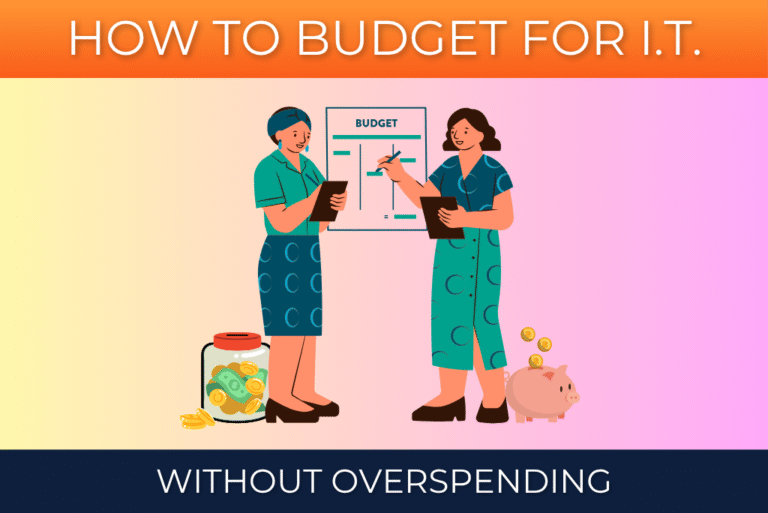
Smart technology planning doesn’t mean spending more on IT, it means spending the budget better.
For small-to-medium-sized businesses (SMBs), keeping a limited budget for tech and managing it well is no new struggle for business owners and operators. While sometimes it seems cheap to maintain IT, other times new devices, computers, hardware, software, or all sorts of issues can crop up seemingly out of nowhere.
Without a clear plan, IT can feel like a series of surprise expenses instead of a controlled, manageable investment.
The good news? It doesn’t have to be that way.
Let’s dive into some practical tips on how to effectively manage your IT investments.
Tip #1: Start With What You Have
Any good budget begins with what you already have.
Go through and catalogue everything your business currently has, both in operation and tucked away in closets.
This includes all computers (both desktops and laptops), servers, networking equipment, software subscriptions and licenses, and cloud services.
Your list should cover all physical technology and all non-physical technology.
Doing this helps you know what you have, regardless of how old it is. With this list, you should be able to begin to see what may need attention sooner rather than later.
Tip #2: Plan for Lifecycles
Unfortunately, technology doesn’t last forever.
To help you plan off the list you created, here are some general replacement timelines for hardware:
- Computer Workstations: Replace every 3-5 years
- On-Site Servers: Replace every 5-7 years
- Network Equipment: Replace every 4-6 years
These are basic guidelines on when specific equipment may need to be replaced, not necessarily a rule of law. Some things your business uses may break before their time, and others may seem like they could go on for years.
However, waiting until something fails rather than proactively budgeting and replacing it leads to emergency purchases, higher costs, and unexpected downtime.
Tip #3: Security Should Be a Core Expense
Cybersecurity is not optional.
Read that again. And again.
Cybersecurity shouldn’t be the afterthought in a budget or plan. It needs to be taken seriously as a successful cyberattack can cost tens of thousands of dollars, if not more.
In fact, over 60% of SMBs that suffer a cyberattack close for good within 6 months. If you don’t want your business to be a part of that statistic, then investing in good cybersecurity is a necessity.
The great news is that there are basic protections available that don’t cost an arm and a leg for you to enact today. Some of these options include:
- Multi-Factor Authentication (MFA)
- Endpoint protections
- Email security and monitoring
- Data backup solutions
Investing in security upfront and budgeting for it is significantly less expensive than responding to an incident later.
Tip #4: Move From Reactive IT to Proactive IT
The goal of IT budgeting isn’t to get the line item to $0.00. Instead, proper IT budgeting should be focused on making costs predictable and aligned with business goals.
To reach this goal while staying under budget, a properly structured Proactive IT plan should include:
- Ongoing support and maintenance of IT environment and infrastructure
- Scheduled hardware replacements
- Up-to-date security tools and consistent updates
- Contingencies built-in for unexpected issues
By planning in advance, this approach replaces waiting for expenses to pop up and makes them manageable, planned investments.
Tip #5: Partner With a Managed IT Provider
Doing nothing for IT isn’t an option in today’s business environment, but it’s often the go-to for SMBs because an IT budget is difficult to support.
When there’s limited budget and not enough money to hire an internal employee to solely manage IT, then it often becomes the responsibility of an already overworked employee to add another thing to their plate or it becomes forgotten.
That’s where a Managed IT Provider can help! At a fraction of the cost of hiring an employee, a managed service provider has the bandwidth to provide visibility in the current IT environment, proactively plan upgrades and changes for maximum productivity, monitor systems for any malfunction or attack, and help your business budget better.
With a Managed IT Service Provider, your business gets positioned for a great technological tomorrow while maintaining a tight, streamlined budget. That’s what we do with our clients at Marvel IT Services.
Don’t Wait! Budget Today!
Every day you wait to budget is another day that catastrophe could strike your business. By taking the time to go through each of these budgeting tips now, you can save your business in the long run.
If you need help with any step of these tips or want to see how we here at Marvel IT Services can help your business with all things IT, reach out and we’ll schedule you for a 100% free consultation!