
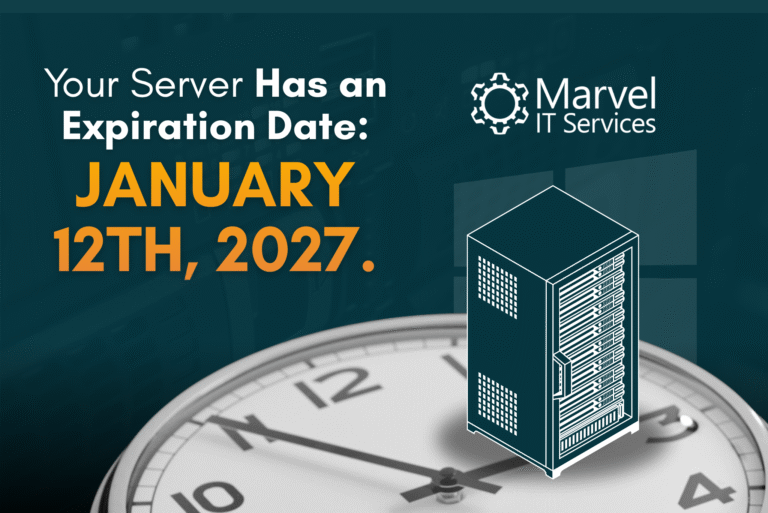
For many businesses that are relying on on-premises servers, those exact servers quietly do their jobs in the background. Employees log in each morning, files open without issue, backups run overnight, and business continues as usual. Because these systems are rarely seen, they are also easy to forget.
That becomes a problem when the operating system reaches the end of its supported life.
On January 12, 2027, Microsoft will officially end support for Windows Server 2016. After that date, the operating system will no longer receive regular security updates, vulnerability patches, or technical support from Microsoft. While the server itself will continue to run, it will no longer be protected against newly discovered threats.
For businesses, especially those across Eastern Pennsylvania, New Jersey, and in Upstate New York, this deadline should already be on the radar. Waiting until late 2026 to begin planning could leave your organization facing higher costs, greater operational risk, and unnecessary downtime.
What Does End of Life Actually Mean?
End of Life, often abbreviated as EOL, marks the point when Microsoft stops maintaining a product. Once Windows Server 2016 reaches this milestone, any new security vulnerabilities discovered afterward will remain unpatched unless your organization enrolls in Microsoft’s Extended Security Updates program.
Cybercriminals pay close attention to these dates. Unsupported operating systems become attractive targets because attackers know new vulnerabilities may never be fixed.
The danger is not that your server suddenly stops working on January 13. The danger is that it continues operating while becoming increasingly vulnerable every month that passes.
For businesses that store customer information, accounting records, employee data, or proprietary information, that is a risk that becomes more difficult to justify over time.
The Big Problem of Waiting
The big assumption is that, like moving from Windows 10 to Windows 11 with a speedy newer computer, business owners and operators assume that migrating from Windows Server 2016 to Windows Server 2019 (or a newer version) takes a matter of a few days. This means that the server migration doesn’t need to start until a late December 2026 or even January 2027.
Unfortunately, server upgrades are rarely that simple.
Every environment is different. Some businesses have a single server that primarily handles file storage. Others rely on servers for accounting software, databases, line-of-business applications, Active Directory, printing, virtualization, remote access, or backup systems. There’s a lot that goes into it.
Before any migration begins, several questions need to be answered and planned for. Here’s just a few of those questions:
- Which applications are running on the server?
- Which programs are compatible with newer versions of Windows Server?
- Are there any hardware limitations that need to be addressed?
- Will any current third-party vendors require software updates?
- How much downtime is acceptable for your business?
These assessments take time, and unexpected issues almost always appear during infrastructure projects. Organizations that begin planning months in advance have the flexibility to solve those problems without rushing.
Businesses that wait until the final weeks before the deadline often have fewer options available.
Unsupported Servers Can Increase Cybersecurity Risks
If your business waits until the last moment to begin a migration off of Windows Server 2016 (or don’t have any plan), you’re creating a serious business risk.
Modern ransomware groups actively scan the internet looking for outdated software and known vulnerabilities. Unsupported operating systems provide a larger attack surface because newly discovered security flaws are no longer addressed through Microsoft’s regular update process.
Even companies with firewalls, antivirus software, and employee cybersecurity training still depend on operating systems receiving ongoing security patches.
By not migrating to a new server operating system by January 12, 2027, your servers will no longer receive security patches, meaning that any discovered vulnerabilities will always be present in the systems on Windows Server 2016. This leaves your business vulnerable as long as you continue to utilize the old operating systems.
For any business handling and storing sensitive client information, maintaining supported operating systems should always be viewed as an important component of a proper cybersecurity strategy.
Check Your Cyber Insurance Requirements
As part of the consideration of when to start your server migration, make sure to double check your Cyber Insurance Policy, if you currently have one.
Like all aspects of the insurance market, policy language and coverage is constantly tightening. Specific coverages and clauses now no longer cover businesses who fail to adhere to proper cybersecurity procedures and software. Unsupported and outdated operating systems can cause complications and, potentially, loss of coverage.
While every policy is different, insurers are increasingly expecting businesses that are insured to demonstrate and be able to prove reasonable cybersecurity practices.
Knowingly or unknowingly running an operating system that no longer receives security updates can raise difficult questions from agents and carriers that can lead to your business bearing the full financial weight of a cyber incident.
This makes proactive infrastructure planning valuable from both a technological perspective and also a risk management standpoint.
Delaying the Inevitable: Microsoft’s Extended Security Update Program
As part of the End-of-Life schedule, Microsoft will likely offer a temporary solution through their Extended Security Updates, or ESU. With ESU, organizations receive important security updates for Windows Server 2016 for a cost to give more time to migrate or replace critical hardware.
While this is a very helpful solution for the short-term, this cannot be seen as a long-term solution for businesses that rely on servers for day-to-day operations.
Historically, when other Microsoft products have reached End-of-Life and receive ESU support, Microsoft increases ESU pricing each year. With each price hike, a delayed migration gets more and more expensive.
Not only will it get more expensive, but the operating system only gets security patches. No quality of life upgrades, no complementary updates, just security. This means that as time goes on and other applications update past Windows Server 2016’s capabilities, your business will be relying on a degraded, outdated, and expensive server solution.
In almost every situation, the time and money is better spent toward a planned migration, which delivers greater long-term benefits to your business.
Why Now Is the Best Time to Start Planning
As the saying goes, “The best time to start was yesterday. The second-best time to start is today.” This is completely accurate for businesses facing down the Windows Server 2016 end-of-life deadline on January 12, 2027.
Beginning the strategic planning process for a migration now allows for proper planning and hardware acquisition, if required, so your business isn’t left scrambling last minute.
An experienced IT provider can come in, inventory your current server environment and usage, identify compatibility concerns, evaluate hardware, estimate project timelines, and develop a migration strategy that minimizes business disruptions.
Planning early also allows your business to properly budget rather than treating a migration as an emergency expense (which adds up on top of those other costs to keep Windows Server 2016 secure with ESU). This is especially crucial if its determined that your server cannot upgrade to a supported version of Windows Server.
If your business has multiple servers, proper planning in advance can allow migration in phases for the best experience with the least headaches and consumed Tylenol. Starting with the servers that carry the less-critical workloads first before moving to mission-critical servers can allow your team to ease into the transition off of Windows Server 2016.
Planning now for the transition will reduce downtime and give staff the confidence that each stage of a migration has been well thought out and tested.
Your Business Should Begin the Transition Now
Many businesses throughout the Lehigh Valley, the Poconos, eastern Pennsylvania, New Jersey, and New York rely on Windows Server 2016 because it has worked for years. If it were possible, many small and medium-sized businesses would love to remain on the OS.
However, while there is comfortability now, there will soon be vulnerabilities that become liabilities.
Whether your organization has one physical server or an entire virtual infrastructure, understanding your current environment is the first step toward making informed decisions.
The earlier that this process begins, the more time and flexibility that you’ll have when selecting hardware, scheduling migration windows, coordinating vendors, and controlling project costs. With that January 12, 2027 date looming close in the distance, every single day counts.
Waiting until the final few months, weeks, or days before Windows Server 2016’s end-of-life will leave your business exposed, increase project costs and pressure, and will ultimately limit your options and potentially cause more issues down the line.
If your business is still running Windows Server 2016, now is the right time to identify every server in your environment, evaluate what is running on each system, and build a migration roadmap that aligns with your business goals.
A well-planned migration will protect your data, reduce your risk, minimize your downtime, and will position your business to continue operating on supported, secure platforms and servers for years to come.
If you need help navigating a server migration or developing a plan to secure your business, reach out to us at Marvel IT Services for a free consultation to see what direction you need to go.


![Pennsylvania Insurance Data Security Act (Act 2 of 2023) [PIDSA]](https://marvelitservices.com/wp-content/uploads/2026/06/PIDSA-300x200.png)